AI Receptionist vs. Live Answering Service for Home Services
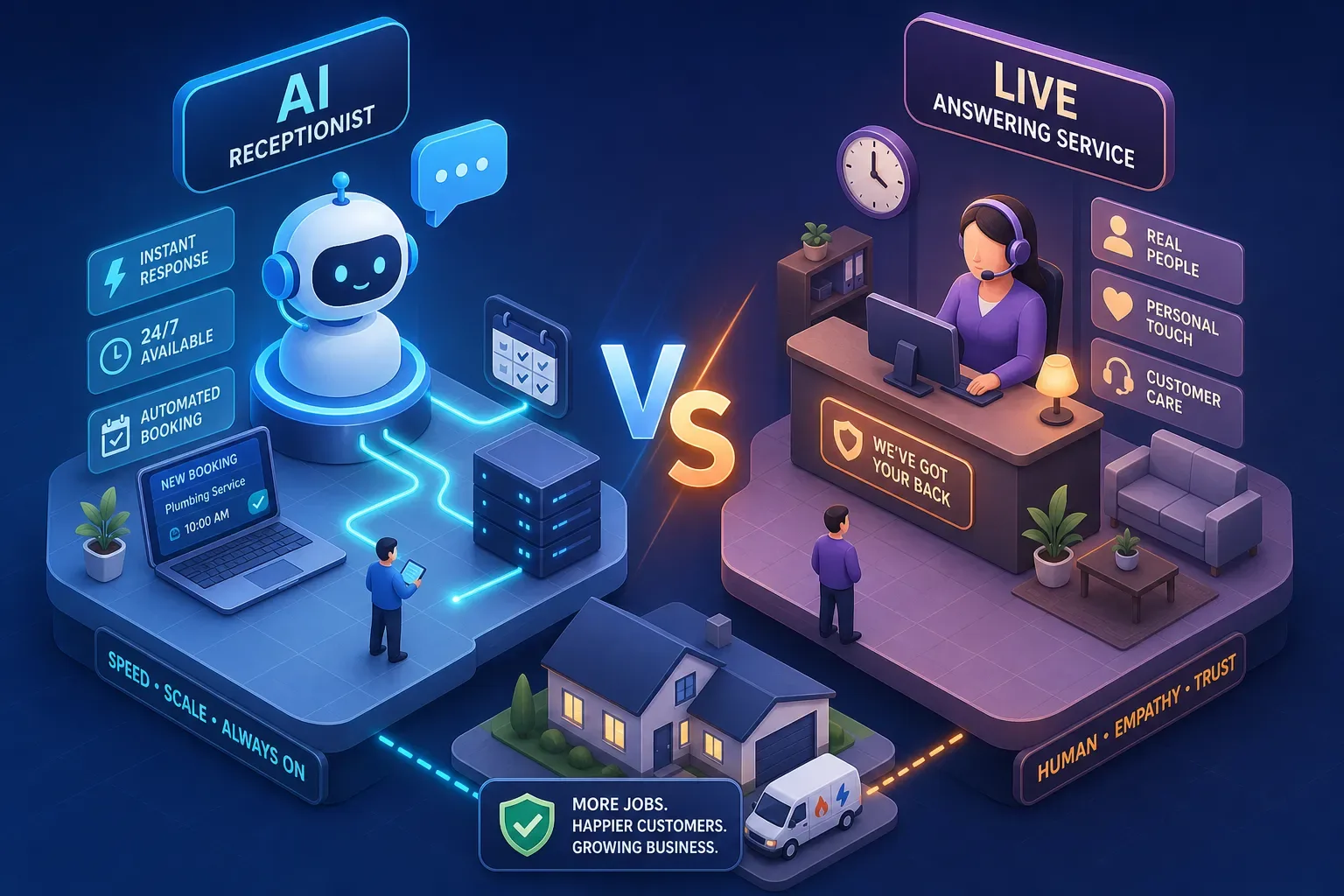
When weighing an AI receptionist vs. a live answering service for home services, most owners frame it as a technology question. It isn't.
AI Receptionist vs. Live Answering Service for Home Services
When weighing an AI receptionist vs. a live answering service for home services, most owners frame it as a technology question. It isn't. It's a revenue question. Many callers who don't reach someone at 8pm on a Tuesday move straight to the next number on Google rather than leaving a voicemail and waiting, vendor data shows next-day callbacks convert at only 2 to 5% compared with 35 to 45% for instant booking. That gap is what this decision is actually about, and it's what operators who've run this comparison inside a real shop learn fast.
This article covers the actual cost gap between AI receptionists and live answering services, where each option breaks down under pressure, how booking conversion data stacks up, and what a clean 30-day pilot looks like before you spend a dollar on either. By the last section, you'll know which option fits your shop, not because we nudged you toward one, but because the numbers will make it obvious.
The Cost Gap Between an AI Receptionist and a Live Answering Service for Home Services
AI receptionists on flat-rate plans typically run $99 to $299 per month for unlimited calls with 24/7 coverage (pricing varies by vendor and feature tier, verify what's included before signing). Live answering services start at around $292 per month for 30 calls, then charge $8.50 to $11.50 per call after that. A shop fielding 200 calls per month on a live service could see a monthly bill above $2,000. That same shop on an AI flat rate pays around $199. The difference isn't a rounding error, it's the cost of a part-time hire buried in a phone bill.
How live answering services price growth out of reach
The per-call billing model is the detail most owners miss when they sign up. At 30 calls per month, the entry price of $292 feels manageable. When your Google Ads campaign starts working and call volume doubles, the bill doubles with it. A service that charges you more for growing is a penalty, not a tool. Mid-range live plans covering 60 to 90 calls run $585 to $810 per month before overages, and a busy season can push a bill past $1,100 before you notice it.
What a flat-rate AI plan actually includes
In the $99 to $299 range, a well-built AI receptionist typically covers unlimited calls, 24/7 availability including weekends and holidays, appointment booking directly to your dispatch board, and CRM logging after every call, though feature sets vary by vendor, so confirm two-way booking and CRM logging are included in the specific plan you're evaluating. A live answering service at the same price tier typically delivers limited minutes, business-hours-only coverage, and a message that someone on your team has to act on manually. One option scales with your business; the other charges you for the privilege of growing.
After-Hours Coverage: AI Receptionist vs. Live Answering Service for Home Services
Nearly half of all home service calls arrive outside standard business hours. Depending on the trade, that figure runs between 47% and 62% of total inbound volume, with emergency calls in plumbing and HVAC skewing even higher, sometimes above 70%. Those callers aren't waiting until morning. They call your competitors while you're still in the truck or asleep. An AI receptionist answers at the same flat rate at 11pm on a Saturday. Live answering services either charge overtime premiums or push callers to voicemail.
The 48% missed-call problem and what it's costing you monthly
The average small home service business misses roughly 48% of inbound calls, a figure consistent with industry benchmarks across multiple vendor studies. For a shop handling 300 calls per month, that's 144 conversations that never happened. At an average HVAC repair ticket of $350 to $415, recovering even 20 of those calls per month puts $7,000 to $8,000 back on the board. Missed calls aren't primarily a staffing problem; they're a structural response-time problem with a specific dollar figure attached. Automation reduces missed-call rates from roughly 48% to around 15% in vendor-reported data. Most owners just haven't written the math down.
Why "we'll call them back" is not a recovery strategy
Instant booking converts at 35 to 45% (vendor-sourced benchmarks). Next-day callbacks convert at 2 to 5%. That gap is not recoverable with a good phone manner or a polite voicemail. A caller who doesn't reach someone at 9pm calls two more numbers before bed. By the time your office opens at 8am, that caller has already scheduled with someone else. Calling them back isn't a recovery strategy. It's a gesture that makes your team feel better while the job goes to a competitor.
Booking Accuracy: What The Conversion Data Actually Shows
Top AI receptionists in home service use cases complete 90 to 96% of inbound calls without human handoff. Some providers report booking rates of 92% when a caller reaches the system, Sameday's published case data is one example of a provider citing that figure. The primary driver isn't the AI itself; it's speed. Research from response-time studies shows that answering within one minute can increase conversion by up to 391%. Live answering services introduce a callback loop that eliminates that window entirely.
To illustrate the math using cited conversion benchmarks: if 100 callers reach a live message-taking service, roughly 46 would have booked on the spot at instant-booking conversion rates, but the live service captures messages for perhaps 30 and the shop reaches 10 of them the next morning. Applying a 2 to 5% callback conversion rate, the result is a fraction of those 10 jobs instead of 46, not because of a bad operator, but because of the structure of the system. Flag this as an illustrative model, not a guaranteed outcome; your actual numbers will depend on call volume and call mix.
Why the callback loop hits home services harder than other industries
Phone leads in home services convert at roughly 46% on the first call, among the highest rates tracked across service industries in vendor benchmark data. The moment a live agent takes a message instead of booking, that rate collapses toward single digits. This isn't a knock on live agents; it's a structural problem. The agent's job in a traditional model is to capture information, not close a booking. That one distinction costs the average home service shop thousands of dollars per month in jobs that were within reach on the initial call.
The difference between a generic AI tool and one built for the trades
Generic AI receptionists struggle in home services for a predictable reason: they lack domain knowledge. They can't distinguish an HVAC emergency from a routine tune-up request. They don't know your service area, your pricing tiers, or your dispatch constraints. When an edge case comes in, they either mishandle it or drop the call. Maximus was built and stress-tested inside Temperature Pros Orlando, an actual operating HVAC company, before being offered to any outside shop. The results documented during that period, including vendor-reported figures of $31,000 recovered from a single reactivation campaign and $12,400 in aging AR collected in 90 days, were on record before the platform launched externally. An AI receptionist for home services that has been tuned on real trade calls handles the edge cases that off-the-shelf tools miss entirely.
Integration With Your Dispatch Software: Claims vs. Reality
Most AI receptionist vendors list ServiceTitan, Jobber, and Housecall Pro on their integration page. What that means in practice varies significantly. Two-way booking, where the AI checks real-time technician availability before promising a window and writes directly to the dispatch board, is very different from a Zapier push that logs a note after the call. Buyers need to understand that difference before they sign a contract.
What two-way booking integration actually requires
A real answering service integration means the AI knows your Tuesday morning dispatch board is full before it offers a Tuesday morning window. A shallow integration means a note gets pushed to your CRM after the call ends, and someone on your team still has to create the job manually. That second version isn't automation, it's a slightly fancier voicemail. Ask any vendor to show you a live call where the system checks real-time availability during the conversation before you commit. If they can't demo it live, the integration isn't what they're describing.
Which platforms have the deepest support right now
ServiceTitan has the deepest native support from AI receptionist vendors. Providers like Sameday, Arini, and AgentZap have purpose-built integrations with real-time dispatch access, job creation, and status updates. Jobber and Housecall Pro have fewer confirmed deep integrations; the API depth for those platforms has not been independently verified as of this writing, though Sameday is the strongest confirmed option available. QuickBooks integration is typically handled through separate accounting syncs rather than through the receptionist layer. If your shop runs on Jobber or Housecall Pro, verify the specific API depth with any vendor before signing, not after.
Where a Live Answering Service Still Has The Edge
An honest comparison has to name the real use cases where a live voice is still the better choice. AI handles structured calls well: booking, qualification, pricing inquiries, service area confirmation. It doesn't handle unstructured, emotionally charged conversations as well. If a meaningful share of your inbound volume falls into that category, a pure AI solution won't hold up on its own.
Call types where empathy and improvisation matter
Complex insurance coordination, emergency calls involving gas leaks or active flooding, and customers who are clearly distressed benefit from a live agent who can adapt in real time. If roughly 30 to 40% of your inbound calls fall into that emotional range, use this as a rule of thumb, and audit your actual call mix before applying it, a live answering service or a hybrid model makes sense. The right question isn't "AI or live?" It's "What does my actual call mix look like, and which tool matches it?"
The honest failure modes every AI receptionist owner should know
Four failure modes show up consistently when AI receptionists are poorly configured. First, misqualification of emergencies: the system treats a smoking furnace as a routine maintenance call. Second, missed bookings from CRM sync errors that neither the caller nor the owner notices in real time. Third, a poor caller experience from robotic pacing or repeated loops when the AI hits an out-of-script question. Fourth, escalation failures when a caller refuses to engage with AI and can't reach a human quickly. Well-built providers address these through emergency keyword triggers, heartbeat monitoring, multi-provider voice fallback, and clear escalation paths. Poorly configured tools produce all four problems simultaneously. The difference between an AI receptionist that works and one that doesn't is almost always in the setup, not the underlying technology.
How To Run a 30-day Pilot: AI receptionist vs. Live Answering Service for Home Services
Don't switch blind. Run a structured test with a defined baseline and a specific measurement window. The goal isn't to "try it out", the goal is to generate data that makes the decision obvious, one way or the other.
The three numbers to track before you change anything
Before you route a single call to a new system, you need three numbers: total inbound calls per month, calls answered versus missed, and booked jobs per call answered. Most operators in the $1M to $5M range don't have these written down anywhere. Getting them takes one week of deliberate attention to your phone system and CRM. Without a baseline, the before-and-after comparison is just a feeling, and feelings don't justify a contract decision.
What a fair 30-day pilot looks like
Route after-hours calls to the new system for 30 days while keeping your business-hours handling the same. At the end of 30 days, compare booking rate, total jobs booked from after-hours calls, and monthly cost against the baseline you set in week one. The data makes the decision. If the AI booked 15 jobs after hours that previously went to voicemail, the ROI case is self-evident. If it didn't, you spent $199 and learned something worth knowing. Either outcome is useful. What isn't useful is switching your entire call handling over on day one and trying to reverse it two months later when you can't tell what changed.
The Bottom Line on AI Receptionist vs. Live Answering Service for Home Services
For most home service shops with consistent call volume, the cost math and the appointment booking automation data both favor an AI receptionist. These conclusions draw primarily on vendor-reported case studies and industry benchmark analyses rather than independent academic audits, weight them accordingly, but the pricing and conversion patterns are consistent across multiple sources. Live answering services made sense before AI was reliable enough to handle structured trade calls. That's less true today. The shops that should still consider a live service or a hybrid model are those with a high share of complex, emotionally charged calls that don't fit a structured booking flow. That's a real category, and it deserves a real answer.
The pilot framework above is the practical next step regardless of which direction you're leaning. Run the baseline, test after-hours coverage for 30 days, and let the numbers close the argument. If you want a virtual receptionist for home services that was proven inside a real operating shop before being offered to yours, that's a different starting point than buying off a landing page. Maximus ran inside Temperature Pros Orlando first, with vendor-reported results documented before the platform launched to outside customers. That history matters when you're deciding who handles your phones.
The call you don't answer tonight is someone else's job tomorrow.
Frequently Asked Questions: AI Receptionist vs. Live Answering Service for Home Services
What is the main cost difference between an AI receptionist and a live answering service for home services?
AI receptionists on flat-rate plans typically run $99 to $299 per month for unlimited calls. Live answering services start around $292 per month for 30 calls and charge $8.50 to $11.50 per additional call, a shop fielding 200 calls per month could pay more than $2,000 monthly on a live service.
Can an AI receptionist handle after-hours calls as effectively as a live answering service?
For structured booking calls, appointment scheduling, service area confirmation, pricing inquiries, AI receptionists perform consistently after hours at no added cost. Live answering services often charge overtime premiums or route after-hours callers to voicemail. For emotionally complex or emergency calls requiring real-time improvisation, a live agent or hybrid model is still preferable.
What does "two-way booking integration" mean for a home services AI receptionist?
Two-way booking means the AI checks your real-time dispatch board before confirming an appointment window and writes the job directly to your scheduling software. A shallow integration only pushes a note to your CRM after the call, your team still creates the job manually. Always ask vendors to demo live availability-checking before you commit.
How do I know if my shop is a better fit for an AI receptionist vs. a live answering service?
Audit your call mix first. If the majority of your inbound calls are structured booking, qualification, or pricing inquiries, an AI receptionist is likely the stronger fit. If 30 to 40% or more of your calls involve distressed customers, complex insurance situations, or true emergencies, a hybrid model that routes those call types to a live agent is worth considering.
What's the fastest way to test an AI receptionist for home services?
Run a 30-day after-hours pilot. Keep your business-hours handling unchanged, route after-hours calls to the AI receptionist, and track three numbers: total calls handled, booking rate from those calls, and monthly cost versus your prior baseline. The data from that window is usually sufficient to make the decision confidently.
Is Maximus only for large home service companies?
No. Maximus is designed for home services businesses across revenue sizes, with AI-powered front office and back office automation built and tested inside an operating HVAC company before launching to outside customers. The platform handles inbound call answering, appointment booking automation, CRM logging, and back office workflows in a single system.