Best Construction Estimating Software for General Contractors
If you're still running commercial bids out of Excel, you're not just losing time.
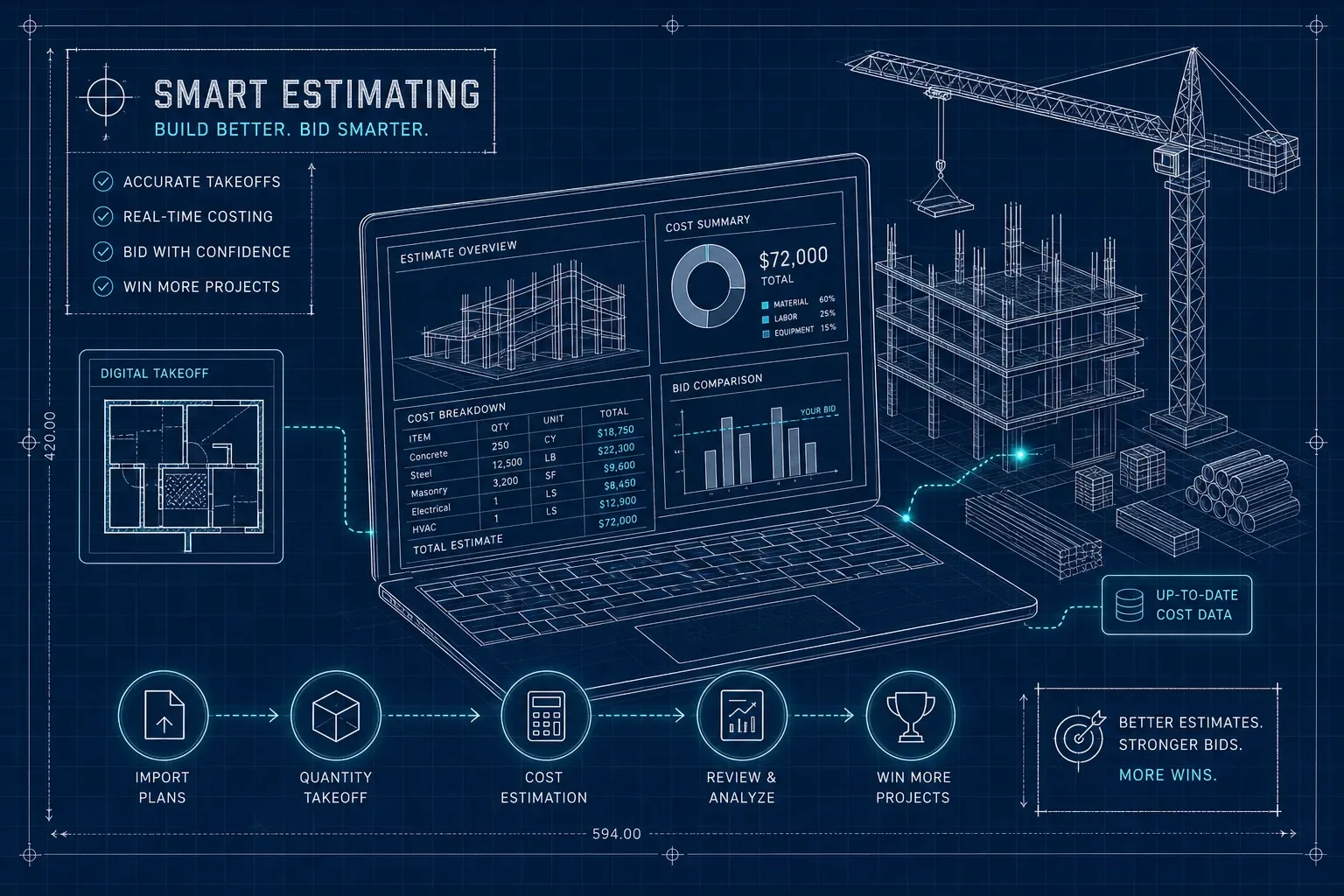
If you're still running commercial bids out of Excel, you're not just losing time. You're losing margin, losing accuracy, and losing bids to competitors who can turn around a cleaner estimate in half the hours. Construction estimating software for general contractors has matured significantly, and in 2026, the options range from lightweight $49/month apps to full enterprise suites with per-seat costs that rival a skilled laborer's weekly wage. The sheer volume of options is part of the problem, overlapping feature sets, inconsistent pricing models, and variable integration support make the decision noisier than it needs to be.
This guide cuts through that noise. You'll get a clear breakdown of the top platforms by company size, honest pricing across tiers, the integrations that actually matter for job costing, and a four-step checklist to evaluate vendors without burning three weeks on demos. By the end, you should be able to shortlist two or three tools that fit your shop and start a live trial on a real bid.
What separates good estimating software from spreadsheet chaos
The real cost of manual bid prep
Contractors who switch from Excel to dedicated cost estimating tools consistently report 50% to 80% faster bid preparation. In concrete terms, a mid-size GC spending six hours on a commercial bid today can realistically finish that same bid in under three hours with the right software. Multiply that across 10 bids per month and you recover roughly 30 hours per month, genuine capacity, not just efficiency on paper.
The error rate problem is just as important as the time problem. Manual spreadsheets rely on the estimator remembering every line item, applying consistent markup logic, and catching quantity errors before the bid goes out. Software-built estimates standardize the markup, pull from verified cost libraries, and flag missing items. Fewer errors on winning bids means fewer change-order disputes later, which is where margin actually bleeds out.
Features GCs actually need versus nice-to-haves
The core feature set worth paying for is shorter than most vendor sales decks suggest: digital quantity takeoff, bid templates, job costing, change order tracking, and subcontractor management. Everything else is negotiable based on your workflow. AI-generated floor plans are one example of a feature reps love to demo, impressive in a presentation, but nearly useless if you're handed a complete drawing set on every project.
Use this as a decision filter when you sit through demos. Ask the rep to show you the three features you'll use on every single bid. If they spend most of the call on capabilities you'd use twice a year, advanced 3D modeling, BIM integration for residential projects, or automated material ordering, that's a signal the tool is built for a different buyer than you.
Why mobile access is non-negotiable in 2026
According to a 2026 contractor technology adoption survey, 41% of GCs cited unreliable mobile functionality as one of their top software complaints. (Note: verify this figure against the survey publisher's full report before citing in external materials.) If an estimator can't pull up a bid, revise a line item, or approve a change order from the job site, the software creates a bottleneck rather than solving one. The field-office gap is real, and any tool you evaluate should have a stable mobile experience, not just a mobile-optimized webpage that crashes in low-signal conditions.
Construction estimating software for general contractors: top picks by use case
STACK and ProEst: the mid-market workhorses
STACK is the most broadly recommended all-around tool for commercial and mid-market GCs. It's browser-based, supports AI-assisted blueprint detection (doors, windows, walls, rooms), has strong cloud plan management, and integrates with Excel for teams that aren't ready to fully break the spreadsheet habit. The free tier works for basic takeoff. Paid plans run from roughly $2,599 to $2,999 per user per year for the Takeoff and Estimate package, with lower per-user rates as headcount scales. (Check STACK's current pricing page, as vendor rates are updated periodically.)
ProEst is the stronger pick when bid management and real-time cost tracking are the priority. It includes a built-in cost database, custom assemblies, a CRM layer for tracking which bids are open and with whom, and native integrations with both QuickBooks and Procore. If your accounting team is already in QuickBooks and your project team is in Procore, ProEst is the clearest estimating and bidding software choice to connect those two systems. Pricing starts around $500 per user per month at the low end, confirm current rates directly with the vendor, as enterprise tiers are typically custom-quoted.
Procore Estimating and Sage: when you need the full ecosystem
Procore Estimating is less a standalone estimator and more an estimating-plus-project-controls platform. It's the right fit for GCs already running Procore for financials, quality, safety, and project management who want estimating to live in the same system rather than hand off via export. For a GC under $5M looking for a lean monthly subscription, Procore is almost certainly overkill and overpriced.
Sage Estimating targets larger contractors that need a mature prebuilt cost database, enterprise version control, and a tight integration with Sage 300 CRE on the accounting side. It's a capable platform for the right buyer, typically established operations with existing Sage infrastructure. For a $3M commercial GC without that ecosystem already in place, the implementation complexity and cost structure are going to be a poor fit.
PlanSwift and HCSS HeavyBid: specialized picks
PlanSwift earns its spot for estimators who want a fast, drag-and-drop onscreen takeoff workflow with a desktop-style licensing model. It's priced around $1,749 per year and works well for teams that prefer a local install over SaaS. HCSS HeavyBid is the right call for heavy civil and DOT contractors, not typical vertical commercial GC work. If you're bidding on infrastructure or government road projects, it's worth a serious look. If you're doing tenant buildouts and commercial interiors, it isn't.
Worth separating out: RSMeans is a cost-data layer, not a full estimating platform. Most GCs use RSMeans Data Online alongside another construction estimating solution to get location-adjusted pricing benchmarks. The starting cost is around $2,000 per year for data access alone, confirm current pricing on the Gordian website, as data subscription tiers are updated annually.
Pricing for construction estimating software for general contractors by company size
Small GCs under $2M revenue
Entry-level contractor estimating apps cover the basics without the overhead of an enterprise tool. Clear Estimates runs $59 per month with a built-in cost database geared toward residential and remodeling work. Contractor Foreman is $49 per month flat for an all-in-one contractor management platform that includes estimating. Buildxact starts around $85 to $149 per month and bundles estimating, takeoff, and job tracking in one workflow, a practical combination for smaller teams juggling multiple roles. STACK offers a free tier for basic takeoff if you want to test the workflow before committing to a paid plan. At this revenue level, the priority is getting accurate bids out faster, not managing a 40-person subcontractor pool.
Mid-size GCs from $2M to $15M revenue
Mid-market is where seat-based SaaS pricing becomes the norm. ProEst runs roughly $500 per user per month at the low end. PlanSwift sits around $1,749 per year as a desktop-style annual license. STACK's paid Takeoff and Estimate plans run $2,599 to $2,999 per user per year, with per-user rates declining as your team size grows. Budget for implementation time alongside the subscription: vendor onboarding documentation and contractor feedback generally suggest allowing several weeks for configuration before a mid-market tool runs at full efficiency, some teams report two to four weeks depending on data migration complexity.
Large GCs and enterprise above $15M
Procore, Sage, and enterprise ProEst tiers are custom-quoted. RSMeans Data Online starts around $2,000 per year for cost data access alone, which doesn't include an estimating platform on top of it. At this level, the conversation shifts from price per seat to total cost of ownership, integrations, training, data migration, and the real platform lock-in risk that comes when your entire estimating history lives inside one vendor's system.
The integrations and databases that move the needle on job costing
Built-in assemblies and cost databases
Prebuilt assemblies let estimators build line-item bids from verified cost components instead of typing raw numbers from memory or last year's supplier quote. The strongest platforms for built-in databases are Sage Estimating, ProEst, and Procore Estimating. Trimble Accubid Enterprise and WinEst also offer strong labor unit libraries for trade-specific work. STACK supports pre-built or custom libraries for bill-of-materials and costing, but it's less opinionated about its database than Sage or ProEst.
Accounting and PM system integrations
ProEst is the clearest choice if QuickBooks and Procore are already in your stack. It supports native QuickBooks Online and Enterprise connectors and integrates directly with Procore. Buildxact connects natively to Xero, which makes it a better fit for GCs on that accounting platform. Sage Estimating ties into Sage 300 CRE as its accounting backbone.
For GCs using Procore for project management, the critical integration question is simple: does your estimating tool export cleanly into Procore's cost codes, or does someone manually re-enter data after the bid is won? That manual re-entry step is exactly where margin errors live. If the answer is manual, the integration isn't working for you.
ROI in real terms: what switching actually delivers
How construction estimating software for general contractors saves time per bid
Industry benchmarks drawn from contractor software studies and vendor onboarding data consistently show that manual spreadsheet estimates take 4 to 12 hours depending on project complexity. Dedicated construction takeoff software and digital estimating tools cut that to 1 to 4 hours, saving 5 to 8 hours per bid. For a GC running 10 commercial bids per month, that's 50 to 80 hours recovered monthly. That's not efficiency in the abstract; it's the capacity to pursue more work without adding headcount to your estimating team.
Bid win rates and error reduction
Vendor-cited win-rate claims range from 23% more bids won to 20% to 40% higher close rates. These figures come from vendor-published case studies rather than independent audits, so treat them as directional benchmarks rather than guarantees. The more defensible ROI argument is accuracy: software-built estimates have fewer quantity errors, more consistent markup logic, and cleaner subcontractor bid leveling. Fewer errors on the bid side means fewer disputes on the execution side, which protects margin on jobs you win rather than just improving the odds of winning them.
How to choose the right tool for your shop
A four-step evaluation checklist
Start by mapping your current bid workflow and identifying the three biggest friction points. Is it takeoff speed, subcontractor bid leveling, change order tracking, or accounting handoff? That answer narrows the field before you ever talk to a salesperson.
- Map your current bid workflow and name the three steps that cost you the most time or create the most errors.
- Shortlist two or three construction estimating solutions that match your company size and integration stack, using the sections above as your filter.
- Run a live trial on a real active bid, not a demo project. Software always looks fast on demo data. Your actual project complexity is the real test.
- Check data export flexibility before signing an annual contract. If you ever need to switch tools, can you get your historical bids and cost data out cleanly?
The goal is to avoid buying software for features you'll use twice a year while the daily workflow stays broken. Be ruthless about that filter during the trial period.
A note for HVAC and plumbing contractors crossing into light construction
Some home services businesses, particularly HVAC companies and plumbers taking on light commercial installs or tenant buildouts, find themselves needing construction estimating software alongside their standard service workflow. The estimating side gets handled well by tools like STACK or ProEst. What often gets missed is the front office surge that hits once bids are won.
Inbound calls from new clients, invoice follow-ups on completed jobs, and scheduling volume that can double overnight will overwhelm a shop that was running lean before the commercial work started. That's where an AI-powered front office and back office automation platform like Maximus becomes relevant, purpose-built for home services businesses that need to handle call volume around the clock, follow up on aging invoices, and keep back office operations running while the field team executes the work. It's a separate decision from estimating software, but it's the piece that determines whether winning more bids actually improves the business or just increases the chaos.
The short version
For most mid-market GCs, the shortlist is STACK for fast cloud takeoff or ProEst for teams that need estimating plus bid management plus a CRM layer. Procore Estimating makes sense if you're already inside that ecosystem and want profitability tracking in the same platform. Sage fits larger enterprise operations with a mature cost database requirement. PlanSwift is the right call for takeoff-focused estimators who prefer a desktop-style annual license over SaaS.
The right tool fits your current workflow without requiring you to rebuild your entire process around the software. Start with a live trial on a real bid. Compare output quality and time savings against what you're doing today. Confirm that your accounting integration actually works both ways before you commit to an annual contract. The best construction estimating software for general contractors is the one your estimators will actually use, and with the right filter questions, that shortlist gets short fast.