Missed Call Text Back Automation: Which Calls Should Trigger a Text?
Not every missed call should trigger missed call text back automation. The first decision in any missed-call text-back (MCTB) setup is not what to say; it's…
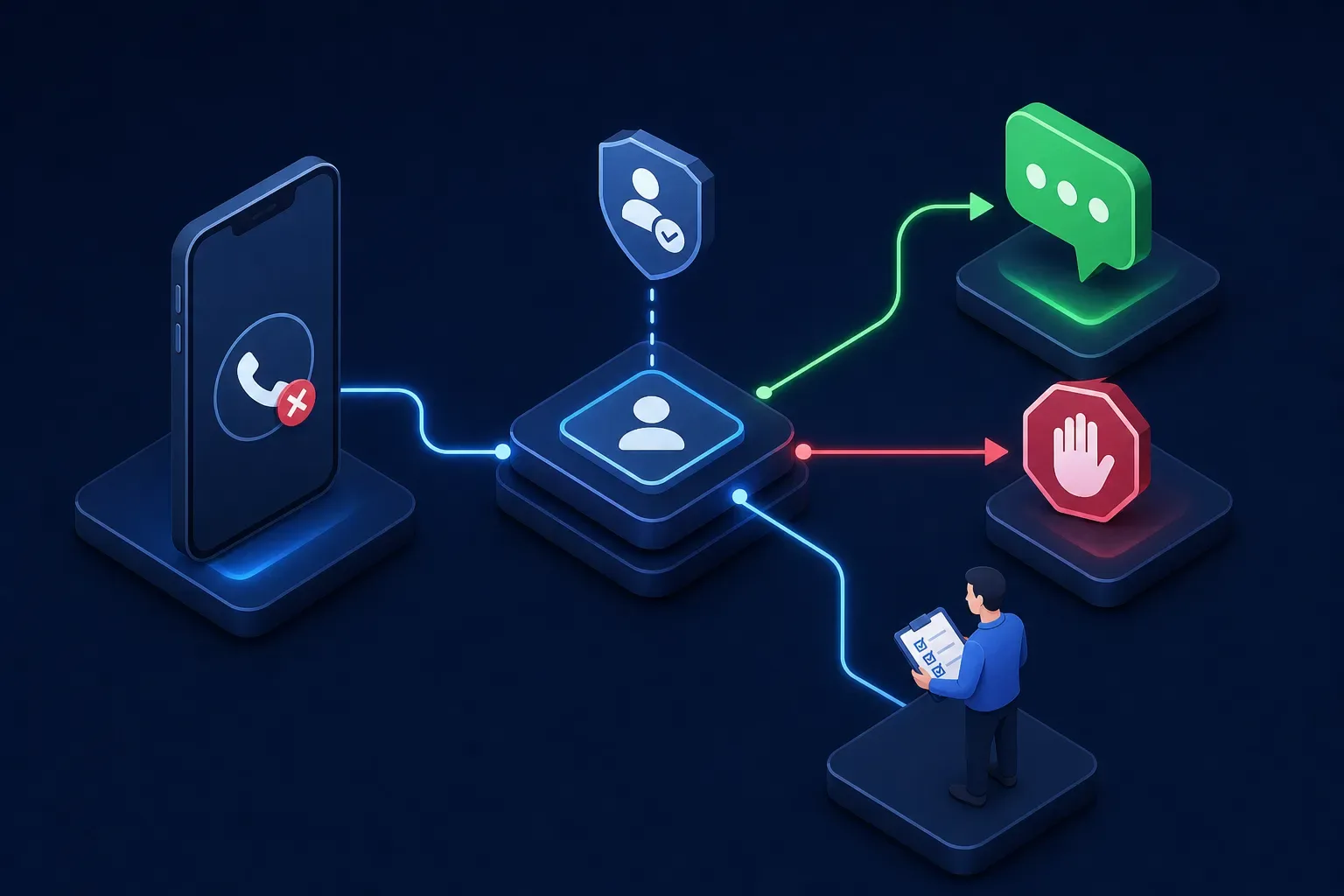
Not every missed call should trigger missed call text back automation. The first decision in any missed-call text-back (MCTB) setup is not what to say; it's whether to send anything at all. A missed voice call does not verify the caller's identity, confirm SMS deliverability, or establish permission to send automated messages to that number. Shops that skip trigger eligibility rules end up texting spam callers, people already mid-conversation with a tech, and customers who already opted out.
This guide is built for HVAC, plumbing, and electrical shop owners who want a practical ruleset. It covers the trigger conditions that determine whether your system should send, suppress, or hand off to a human, along with consent basics, safe message examples, and how to test the logic before it touches real customers. These are recommended controls to verify with your vendor; no platform can guarantee delivery or book every caller.
Key takeaways
-
Send is not the default: Trigger eligibility must be verified before any automated text fires. Skipping this burns goodwill and creates compliance exposure.
-
Caller ID is not consent: A known number in your CRM does not authorize automated SMS. Documented prior consent is required.
-
Cooldown prevents stacking: A shop-tested cooldown window helps stop the same number from receiving multiple texts in rapid succession.
-
Suppress over speculation: When eligibility is uncertain, create a callback task for a staff member instead of sending a speculative text.
-
Test before going live: Run at least seven scenarios yourself; catching a configuration failure in testing avoids exposing customers to it.
-
Audit logs protect your shop: Every trigger decision, sent or suppressed, should be logged with the reason so you can reconstruct eligibility if it's ever questioned.
Why a missed voice call alone doesn't justify an automated text
Most shop owners assume the logic works like this: phone rings, nobody answers, text goes out. That assumption is the root of most compliance problems and wasted outreach. Caller ID can be spoofed, and the number displayed is not a confirmed identity. A match in your CRM tells you a contact with that number exists; it does not tell you that the person who just called is that contact.
Delivery is its own separate problem. Carriers apply different rules to automated business SMS, and a message that appears to send does not mean it arrived. A2P 10DLC registration status, the number type you're sending from, and carrier reputation filtering all affect whether the message lands. Check provider delivery status and errors; an accepted send request does not prove delivery or that the customer read it.
These two facts change how you should design your trigger logic. If identity is unverified and delivery is uncertain, the default has to be conservative. The goal of eligibility filtering is to protect the sends that matter, not to fire on everything and hope for the best.
The send/suppress/human-review rules for your shop
Before you write a single message template, build this decision checklist. It determines what happens to every missed call before missed call text back automation touches it. Hand this to your vendor and ask how each rule is handled natively.
- First eligible missed call from a number with SMS consent on record: Send. Core use case.
- Repeat caller within cooldown window (e.g., last 30, 60 minutes): Suppress. Deduplication; avoid stacking texts.
- Number currently in an active SMS conversation: Suppress. Human or bot already engaged.
- Caller matched to an open job routed to a field tech or dispatcher: Human review / notify staff. Redundant automated outreach alongside live handling.
- Suspected spam or spoofed caller ID: Suppress. Caller identity and applicable consent are unverified.
- Blocked or non-textable number: Suppress. No verified SMS route; use an appropriate fallback.
- Number on opt-out list or consent status missing/unverified: Suppress. Sending without consent creates compliance exposure.
A cooldown window stops the same number from receiving multiple texts in a short period. Thirty or sixty minutes are example settings to test against your shop’s call patterns, not universal standards. During the cooldown, update the existing lead record and increment the missed-call count; do not create a new text trigger.
For spam and spoofed numbers, use your provider’s spam signals and staff review rather than treating a prefix or short call duration as proof. Legitimate callers can hang up quickly, and caller ID can be spoofed. Suppress the automatic text when identity or eligibility is uncertain; route legitimate service concerns to staff.
What consent actually requires before you send that text
A missed voice call alone is not documented SMS consent, even if the number matches a customer in your CRM. Per Twilio’s messaging policy, a business must obtain and retain appropriate prior consent before sending automated texts, identify the business in the message, provide a clear STOP opt-out, and suppress immediately after withdrawal. Those are platform requirements; applicable law operates separately and can impose additional obligations depending on the message content, the recipient's state, and how the consent was captured.
The practical distinction between informational and marketing messages matters here. A one-time callback acknowledgment tied directly to the missed call may qualify as informational. Add a promotional offer, a booking link that doubles as a pitch, or recurring follow-up sequences, and you are likely in marketing territory, which requires prior express written consent. Do not use the missed-call text as the mechanism to ask for consent you don't already have.
Your consent record should document how consent was obtained, when, for what type of messaging, and to which specific number. Missing consent means suppress, not send. STOP opt-outs must suppress immediately and permanently until new consent is documented.
Safe example texts for calls that genuinely qualify
When a caller meets every eligibility condition, first missed call, documented SMS consent, no active conversation, no open job, not in cooldown, not spam-flagged, the text itself should be simple and direct. Keep it under 160 characters to stay within a single SMS segment (note: emojis or special characters reduce that limit, so stick to plain text).
Here is a clean template for that eligible scenario:
Hi, this is (Business Name). We missed your call and want to help. What do you need, and what's a good time to reach you? Reply STOP to opt out.
Every element in that message earns its place. The business name identifies the sender. Acknowledging the missed call gives the recipient immediate context. A single low-friction question is all you need; asking for name, address, and availability in the same message reduces replies. The STOP opt-out is required, not optional.
When consent is unconfirmed or the call matches a suppression condition, the auto text after a missed call should not fire at all. Instead, create a callback task: "Missed call from (number), no text sent. Manual follow-up needed." This creates a review path; staff must still respect contact preferences and applicable calling rules. It is not a guarantee of legal compliance.
How to test missed call text back automation trigger logic before it fires on real customers
Run these scenarios with staff-owned or authorized test numbers and appropriate consent before going live. A vendor demo number is not sufficient; you need to see the system behave against actual carrier routing.
-
Unknown number calls with no documented SMS consent. Expected result: no automatic text, even if the proposed text is informational. Create a staff review task where appropriate.
-
Same number calls again within the cooldown window. Expected result: suppressed, callback task created.
-
Number matched to a contact with an open active job. Expected result: human review notification, no text.
-
Number on your opt-out list calls. Expected result: suppressed, no text, no task.
-
Short call with uncertain spam status. Expected result: no automatic text until eligibility is established; do not label a caller spam solely because the call was brief.
-
Test caller replies STOP to the auto-text. Expected result: opt-out logged, all future sends suppressed for that number.
-
Authorized test number with documented applicable consent calls, has no active conversation or open job, and passes all checks. Expected result: one text and one logged trigger. Repeat with an active SMS conversation and with a non-textable test number; both should suppress the missed-call text.
If the system sends on a suppressed scenario during testing, that is a configuration failure. Fix it before live calls, these tests protect your shop, not the vendor.
Your audit log should capture every trigger decision, whether a text was sent or suppressed. Ask your vendor specifically what fields they log. At minimum, the log should include:
-
The caller's normalized number
-
Call timestamp and duration
-
Trigger decision with the reason for any suppression
-
Consent status at the time of the decision
-
Whether a text was sent and what it said
-
Delivery status if available
-
Opt-out events with timestamps
-
Whether a staff notification was sent
That record is how you reconstruct eligibility if a compliance question ever comes up.
Choosing the right controls and asking the right vendor questions
Every item in the decision checklist above is a recommended control. Not every platform implements all of them by default, and the ones that matter most are the suppression rules. Before going live with any missed-call SMS automation setup, ask the vendor exactly how each suppression scenario is handled and where the audit trail lives.
Two useful vendor questions are: "Does it fire on opt-outs?" and "What happens if the same number calls three times in an hour?" If the vendor can't answer both clearly, that's your signal to keep pressing before you flip it on.
These are vendor questions, not verified Maximus feature claims. If you want to talk through how Maximus fits your shop’s workflow, the calls your team handles, and the jobs already in your system, reach out and start that conversation.
Getting missed call text back automation right comes down to one principle: treat suppression as a feature, not a failure. Configure your MCTB rules carefully, test every scenario before going live, and log every decision. The shops that do this protect their sender reputation, stay on the right side of consent requirements, and make sure every text that does go out actually has a chance of converting.
Frequently Asked Questions
Can I use the missed-call text to ask for SMS consent from the caller?
No, you should not use the missed-call text as the mechanism to ask for consent. A missed voice call alone is not documented SMS consent ; do not use that text to request missing consent; missing prior consent means suppressing the text rather than sending it.
How long should the cooldown window be to prevent duplicate texts?
Thirty or sixty minutes are example cooldown settings to test with your shop; neither is a universal standard, and during the cooldown you should update the existing lead rather than create a new trigger event.
Do I have to identify my business and include a STOP opt-out in the message?
Yes, you must identify the business and provide a clear STOP opt-out. Per Twilio's messaging policy I note that a business must obtain and retain prior consent, identify itself in the message, provide a STOP option, and suppress sends immediately after an opt-out.
What should I do about delivery uncertainty when carriers may silently drop messages?
Treat delivery as a separate uncertainty and design your trigger logic conservatively. I explain that carriers and A2P registration affect whether a message lands, an accepted send request does not prove receipt, and because of that you should verify eligibility, test with real carrier routing before going live, and log delivery status if available.