What 90 Days with an AI Office Manager Actually Delivers
Most owners buying AI software expect to wait six months before anything measurable shows up.
What 90 Days with an AI Office Manager Actually Delivers
Most owners buying AI software expect to wait six months before anything measurable shows up. That assumption costs them real money, because the first 90 days are where the clearest signal lives. What results can a home services business expect from an AI office manager in 90 days? Specific, trackable outcomes tied to dollars you can point to in your field service software and QuickBooks, not vague projections, not lagging indicators.
Maximus was built and tested inside Temperature Pros Orlando, an HVAC operation in the $1M, $5M revenue range, before it was ever offered to another business. The results from that shop are the benchmarks this article is built around: $31,000 recovered from a single dormant customer reactivation campaign, and $12,400 in aging accounts receivable collected, both within 90 days. Those figures come from a real shop running under real operational constraints. What follows is a week-by-week breakdown of what actually changes, what drives each change, and how you know it's working.
Weeks 1 and 2: What Goes Live and What to Ignore
What the Setup Window Actually Looks Like
Most owners brace for an IT project. For streamlined platforms like Maximus, the reality is often 48 hours or less. Getting an AI office platform configured requires a focused onboarding session covering your pricing, service area, staff names, tone of voice, and integrations with your existing stack. For shops using Jobber, HCP, or ServiceTitan alongside QuickBooks, those connections are standard within the Maximus platform. Total owner time in the first week runs closer to two hours of input, not two weeks of back-and-forth.
The platform needs enough context to answer calls the way your shop would, route jobs to the right technicians, and flag invoices accurately. That's a knowable, finite set of inputs, your pricing tiers, service area boundaries, staff assignments, and escalation rules. Once it's trained on your shop's specifics, it operates without needing you to supervise every shift.
The First Calls It Handles on Its Own
In week one, the AI starts answering live inbound calls, including after-hours calls that would have gone to voicemail or rung out entirely. For a shop running 10 technicians, call volume can run 80 to 120 inbound calls per week, though actual volume varies by market and seasonality. Before AI, a meaningful share of those calls, especially anything coming in after 5 PM or on weekends, simply disappeared. The AI handles new booking requests, after-hours inquiries, and follow-ups on open estimates without interrupting you. You find out what happened in your morning briefing, not in the middle of a job site visit.
The goal is for the owner not to hear these calls happening. If you're still being interrupted every time the phone rings, the system isn't doing its job.
The Morning Briefing as Your New Starting Point
Every morning, you get a summary of what the AI handled overnight: calls answered, jobs booked, invoices flagged, and anything that still needs a human decision. This replaces the ritual of checking voicemail, scanning missed call logs, and reconstructing what happened after hours. It's a structural change, not just a convenience. Starting the day from a summary rather than a pile of unprocessed activity shifts how you allocate the first 90 minutes of your morning.
Day 30: The First Clean Metrics Worth Pulling
Missed Calls Stop Draining the Top of Your Funnel
Home services businesses miss between 27% and 62% of inbound calls depending on hours and coverage model. After 5 PM, that miss rate climbs to 84% for shops without dedicated after-hours coverage. By day 30, your call answer rate is the first clean number to track. A realistic post-AI benchmark is 90% or better. Many shops are starting from below 70%, some significantly lower depending on staffing and hours.
Speed matters as much as coverage. Businesses that respond to a new lead within 60 seconds see conversion rates improve by 391% compared to delayed responses. The AI doesn't put callers on hold or route them to a voicemail system at 9 PM. It answers, qualifies the caller, and either books the job or flags it for follow-up. That speed is where the conversion lift starts.
First AR Flags Hit Your Desk
By day 30, the accounts receivable workflow has been running long enough to surface your first round of overdue invoices. Any invoice crossing the 30-day mark gets flagged automatically, and a follow-up message goes out without you manually chasing it, provided the automated AR workflow is configured during onboarding. For a shop carrying $40,000 to $80,000 in outstanding receivables, an illustrative range for a $2M to $3M revenue operation, this is where the financial recovery process begins. The 90-day AR result doesn't materialize from a single action. It starts here, quietly, while you're focused on running jobs.
Day 60: Dormant Revenue Starts to Surface
Where the $31,000 at Temperature Pros Orlando Actually Came From
The reactivation campaign at Temperature Pros Orlando didn't require building a new list or running ads. The AI pulled customer history directly from QuickBooks, identified customers who hadn't booked in 12 to 24 months, and reached out with a personalized message referencing their specific service history. The list was already sitting in the system, untouched.
Industry data shows that 38% to 43% of customers in a typical home services CRM go dormant after 12 to 24 months. For a shop with 1,000 customers in its history, that's 380 to 430 people who used you before and stopped, not because they found someone better, but because nobody followed up. Well-executed reactivation campaigns to past customers typically see response rates of 8% to 15%. At Temperature Pros Orlando, a single campaign against that dormant list returned $31,000 in attributed revenue. The raw material was already in the database. The virtual office manager automated what a manual process would have left untouched.
Booking Conversion Rates Start to Compound
By day 60, you're seeing the combined effect of instant call answering, automatic follow-up on open estimates, and reactivation outreach running at the same time. Industry benchmarks show businesses deploying AI virtual receptionists typically see booking conversion rates climb from 20%, 30% pre-AI to 60%, 70% within 60 to 90 days. Speed-to-lead and 24/7 availability drive most of that lift. These numbers show up in your field service software as jobs booked per week, not as an abstract percentage. That's the version worth tracking.
What the Owner's Week Looks Like Now
By day 60, most owners report a noticeably quieter week. Not dramatically different, specifically different. Interruptions during job site visits are down. The Friday afternoon calls chasing an $800 invoice that's been open for six weeks have mostly stopped. Monday mornings spent reconstructing what happened over the weekend are becoming rare. The time savings aren't hypothetical at this point. Recovered hours are going somewhere more useful than call triage.
Day 90: What Results a Home Services Business Can Expect from an AI Office Manager
The AR Benchmark: $12,400 Collected in One Shop
At Temperature Pros Orlando, $12,400 in aging accounts receivable was collected within 90 days through automated follow-up that escalated from 30-day to 60-day reminders without manual intervention. For context: home services businesses under $5M in revenue typically carry a DSO of 34 to 47 days. Shops relying on manual follow-up often sit at the higher end of that range, 43 to 47 days. With automated AR workflows in place, DSO can move below 30 days.
If your shop is carrying $50,000 in aging receivables, recovering 20% to 25% of that in 90 days is a realistic benchmark, not an aggressive projection. That's $10,000 to $12,500 that was already earned, already owed, and simply needed a consistent follow-up process to collect.
The Full 90-Day Revenue Picture
When you add up the major inputs at the 90-day mark, after-hours calls captured, reactivation revenue, AR recovered, and booking conversion lift, the range for a typical single-location home services shop is $20,000 to $50,000 in net revenue impact. In an internal benchmark across 12 shops, one contractor recovered $43,000 from previously lost leads in 90 days, with monthly revenue rising by $22,500. A heating and cooling company that reduced its missed call rate from 38% to 2% pushed its quote close rate to 56%, generating roughly $18,000 per month in additional revenue within 90 days.
Starting conditions matter. A lower-volume shop with a cleaner AR picture will see smaller absolute numbers but comparable percentage improvements. The businesses seeing the largest dollar results typically had the most unaddressed missed calls, the most untouched dormant customer lists, and the oldest outstanding invoices. More leakage means more recoverable revenue.
The KPIs Worth Tracking (and the Ones That Aren't)
Front Office Metrics: Pull These Every Week
In weeks one through four, three numbers matter most: call answer rate, after-hours booking rate, and speed-to-lead time. Your call answer rate should be visible in your call log. A 90% or better answer rate is achievable within the first 30 days for most shops starting below 70%. After-hours booking rate tells you whether the AI is converting those late-evening calls into jobs, not just answering them. Speed-to-lead, how fast the first response goes out after a new inquiry, should be measured in seconds, not hours. Maximus surfaces all three of these in the morning briefing without requiring you to build a custom dashboard.
Financial Metrics: AR Days and Reactivation Revenue
Two financial KPIs take longer to surface but carry more weight. DSO is your AR health indicator. Track it monthly and watch for movement from your pre-AI baseline toward the 25-to-30-day range. Reactivation revenue should be tracked separately from new customer revenue, because it represents a different type of win. That dormant customer list has a measurable value. Knowing what the reactivation campaign returned gives you a clear ROI number to compare against the cost of running Maximus for 90 days.
The Metric Most Owners Ignore: Owner Hours Recovered
The most undertracked result of AI office automation is time. An owner spending 15 to 20 hours per week on calls, invoice follow-up, and scheduling conflicts who recovers even a portion of those hours hasn't just gained free time, they've gained capacity for the activities that actually grow the business: site visits, sales conversations, strategic decisions, or simply not working Saturdays. Home services teams using AI scheduling and automated follow-up tools typically save 15 to 20 hours per month at baseline, with some operators reporting significantly more as adoption deepens.
That recovered time is a real asset. It doesn't show up in your P&L, but it shows up in your ability to think and act like an owner instead of a dispatcher.
The 90-Day Arc, Put Plainly
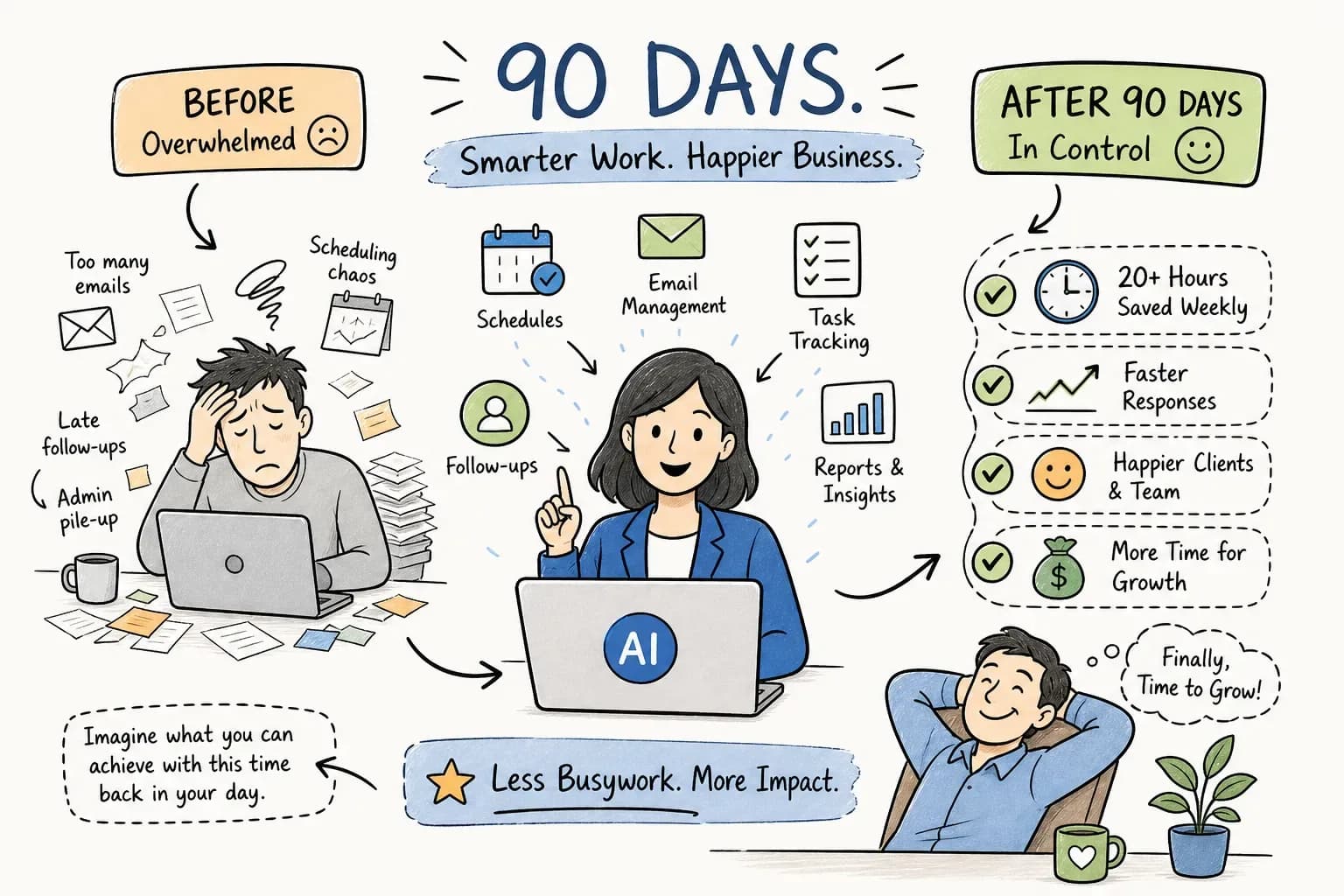
Weeks one and two are about coverage: the AI is live, calls are being answered, the morning briefing is your new starting point. Day 30 is about capture: missed calls are down, the AR follow-up process is running, and you have your first clean metrics. Day 60 is about reactivation: dormant revenue is moving, booking conversion is climbing, and the owner's week is measurably quieter. Day 90 is where the revenue becomes undeniable.
None of this requires a technology department or a six-month runway, just a shop that's willing to let the AI handle what it was built to handle. Maximus was built inside an actual home services operation, not designed for one in a conference room. The results from Temperature Pros Orlando weren't a beta test. They were a real business getting measurable outcomes from a system the founders built for themselves first.
If you're still wondering what results a home services business can expect from an AI office manager in 90 days, here's the short answer: missed calls recovered, dormant revenue reactivated, aging AR collected, and hours returned to the owner. Your shop already has the raw material. The 90-day clock starts when you decide to use it.